
Corporate live streaming can be public, private or somewhere between the two. The right choice depends on who needs to watch, how sensitive the content is and what the organiser expects viewers to do before, during and after the broadcast.
A public stream can make a product launch, conference or brand announcement easy to discover and share. A private stream can protect an internal town hall, investor briefing, training session or invitation-only event. Between those options are unlisted links, registration pages and access-controlled event platforms.
The platform is only one part of the decision. Organisers also need to plan invitations, viewer authentication, moderation, recording, data handling and a fallback process if someone cannot access the broadcast.
This guide explains the practical differences between public and private corporate live streaming and how businesses in Dubai and across the UAE can choose an appropriate access model.
Short Answer
Choose a public stream when reach and easy sharing are more important than controlling who watches. Choose a private stream when the audience must be identified or the programme includes confidential, paid or internal information.
An unlisted link offers convenience, but it is not the same as verified private access. Anyone who receives a forwarded link may be able to open it. If attendance must be restricted, use registration, authentication or another access-control method that matches the sensitivity of the event.
What You Will Learn
- The difference between public, unlisted and private streaming
- How the audience and event purpose affect platform choice
- Which access controls may be appropriate for corporate events
- How privacy decisions affect registration and viewer experience
- What organisers should prepare before the broadcast
- What to include in a live streaming brief and quotation
What Is Public Live Streaming?
A public live stream can be viewed without individual approval. It may appear on a public video channel, social network, company website or event page.
Public streaming is commonly used for:
- Product launches
- Public conferences and forums
- Brand announcements
- Educational sessions intended for a broad audience
- Public panel discussions
- Community and cultural programmes
The main advantage is low friction. A viewer can open the stream immediately, and the organiser can distribute one link through email, a website and social media.
This also makes the broadcast easier to share beyond the original audience. That can be valuable for awareness, but it means the organiser has less control over who watches, records or redistributes the content.
What Is Private Corporate Live Streaming?
A private corporate stream uses access controls to limit the audience. The level of control can range from a simple password to individual user authentication through a company or event platform.
Private streaming is often appropriate for:
- Internal company town halls
- Executive and investor briefings
- Employee training
- Paid conferences
- Partner meetings
- Invitation-only product previews
- Events containing personal or commercially sensitive information
“Private” should be defined precisely. A stream is not automatically secure simply because it does not appear in public search results. The access method should be selected according to the real consequences of an unauthorised person receiving the link.
Public, Unlisted, Registered and Authenticated Access
Corporate broadcasts generally use one of four access models.
Public Access
Anyone can watch. This is the simplest viewer experience and the most suitable option when reach is the priority.
Unlisted or Link-Only Access
Unlisted or link-only access reduces public discoverability but does not authenticate viewers or guarantee that the link will remain undiscovered. This is convenient for low-sensitivity events, yet the link can still be forwarded.
Registration-Based Access
Viewers complete a form before receiving or opening the stream. Registration can help the organiser collect attendance information and send reminders. The strength of the restriction depends on whether the same link is shared with everyone or whether each viewer receives individual access.
Authenticated Access
Each viewer signs in or receives a unique invitation. This offers stronger control and is more suitable when the audience must be verified. It also requires more setup, testing and viewer support.
Begin With the Audience, Not the Platform
It is tempting to choose a familiar platform first. A better process begins with the audience.
Ask:
- Is the event public, internal, paid or invitation-only?
- Must every viewer be identifiable?
- Can the link be forwarded safely?
- Will viewers join from company-managed devices?
- Are any countries, departments or partner groups restricted?
- Does the organiser need registration or attendance reports?
- Will viewers ask questions or vote in polls?
A platform that is ideal for a public marketing event may be inconvenient for an internal workforce. A corporate collaboration platform may suit employees but create barriers for external guests.
How Confidential Is the Programme?
Not all corporate information requires the same protection. A general leadership update may be suitable for a link-only broadcast. Financial information, unreleased products or regulated training may require stronger authentication and a clearer record of attendance.
The production company can explain the technical options, but the organiser should decide the confidentiality level. Legal, HR, IT security or compliance teams may need to approve the access model for sensitive events.
Live streaming controls access to the broadcast; they cannot prevent every possible screen recording or secondary camera. If the material is highly sensitive, the organisation should combine technical access controls with appropriate attendee policies and internal procedures.
Registration and Invitations
Registration can support both security and event communication.
A practical registration workflow may include:
- A branded event page
- Required attendee information
- Confirmation email
- Calendar invitation
- Reminder messages
- Instructions for joining
- A support contact
- Post-event recording access
The organiser should test the complete viewer journey. A successful technical rehearsal does not prove that invitation emails, passwords and browser permissions work correctly for external attendees.
Send joining instructions early enough for viewers to resolve company firewall, account or browser issues before the programme begins.
Viewer Experience and Accessibility
Stronger access controls can create more friction. The objective is to use the minimum restriction that meets the event’s real privacy needs.
A viewer should know:
- Which link to open
- Whether an account is required
- Which browser or application to use
- When the broadcast room becomes available
- How to submit questions
- Where to request support
Also consider captions, language requirements and mobile viewing. If a substantial part of the audience will watch on phones, small presentation text and complex multi-window layouts may be difficult to read.
Questions, Chat and Moderation
Audience interaction changes the production workflow.
A public broadcast may attract irrelevant comments or questions. A private internal stream may receive sensitive questions that should not be displayed automatically.
Define:
- Whether chat is enabled
- Who moderates it
- Whether questions are approved before appearing
- How the moderator communicates with the stage
- Whether viewer names are visible
- How unanswered questions are handled after the event
Moderation is a real role. The technical director should not be expected to manage cameras, graphics and a fast-moving audience chat at the same time.
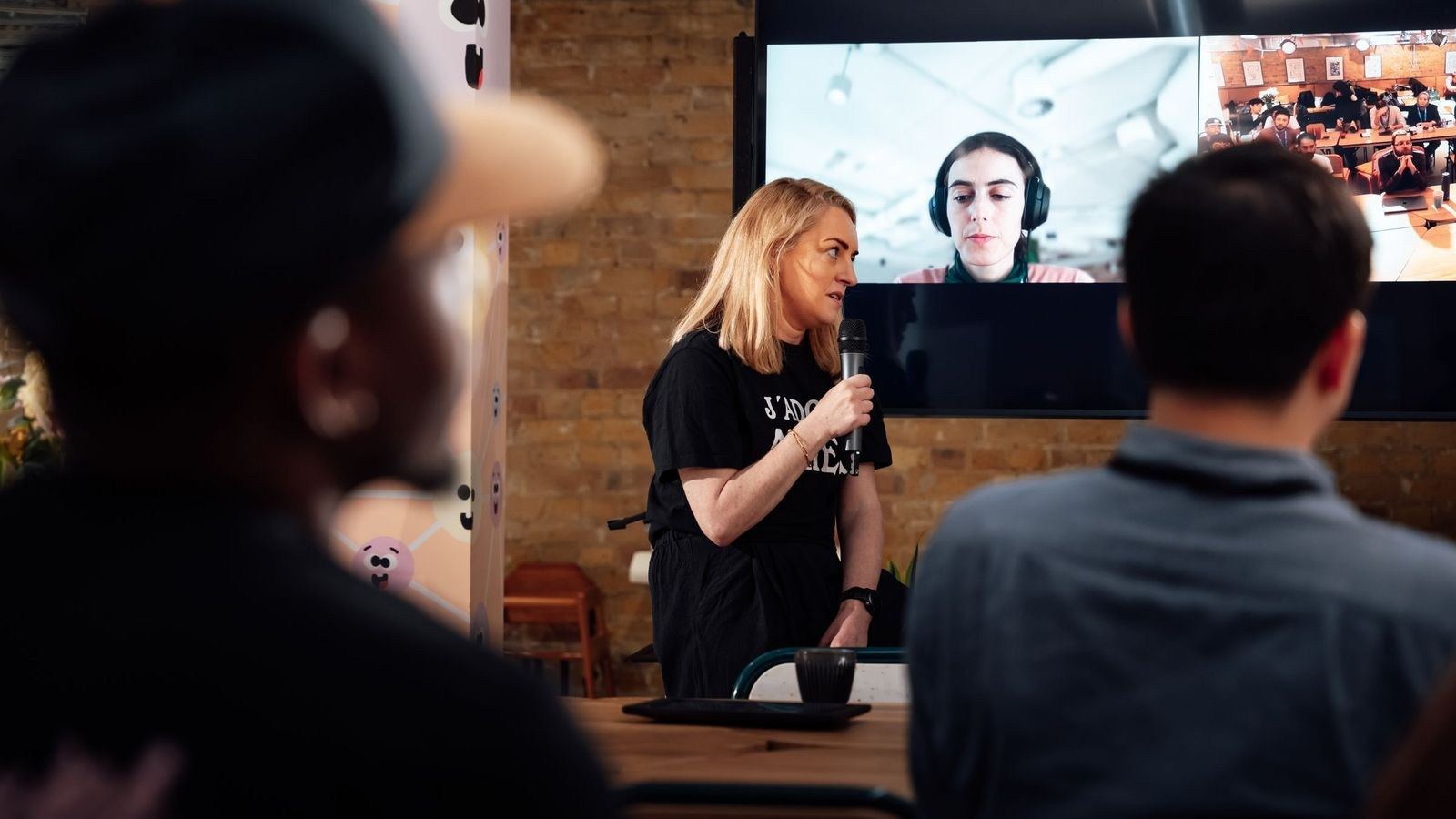
Remote Speakers and Private Broadcasts
A remote speaker needs separate access from the viewing audience. The production team may bring the contributor into a private video call, then add the speaker to the broadcast programme.
This allows the team to speak with the guest before they go live, check their microphone and remove them from the programme without changing the public or private viewer link.
Remote participants should receive a technical test and a separate set of joining instructions. Their connection, microphone, camera and lighting will still affect the quality of the final broadcast.
Recording and Post-Event Access
The organiser should decide whether the recording remains public, becomes private or is removed after a fixed period.
Possible approaches include:
- Keeping the complete recording on the original public page
- Sending a private recording link only to registered attendees
- Publishing selected sessions and keeping others internal
- Creating an edited version that removes confidential sections
- Using the recording for an internal archive
A local recording should normally be created independently of the platform. It can provide higher quality and protect the final delivery if the online transmission is interrupted.
Recording permissions, retention and access responsibilities should be agreed before the event, particularly when employees, clients or members of the public appear on camera.
Platform Choice
The right platform depends on access, interaction, branding, analytics and the organisation’s existing systems.
Selection criteria may include:
- Public or restricted viewing
- Individual authentication
- Registration workflow
- Viewer capacity
- Chat, polls and Q& A
- Captions and language support
- Branding options
- Analytics
- Recording availability
- Compatibility with company networks
The choice should be made early. Platform access, graphics, remote speakers and the rehearsal process may all depend on it.
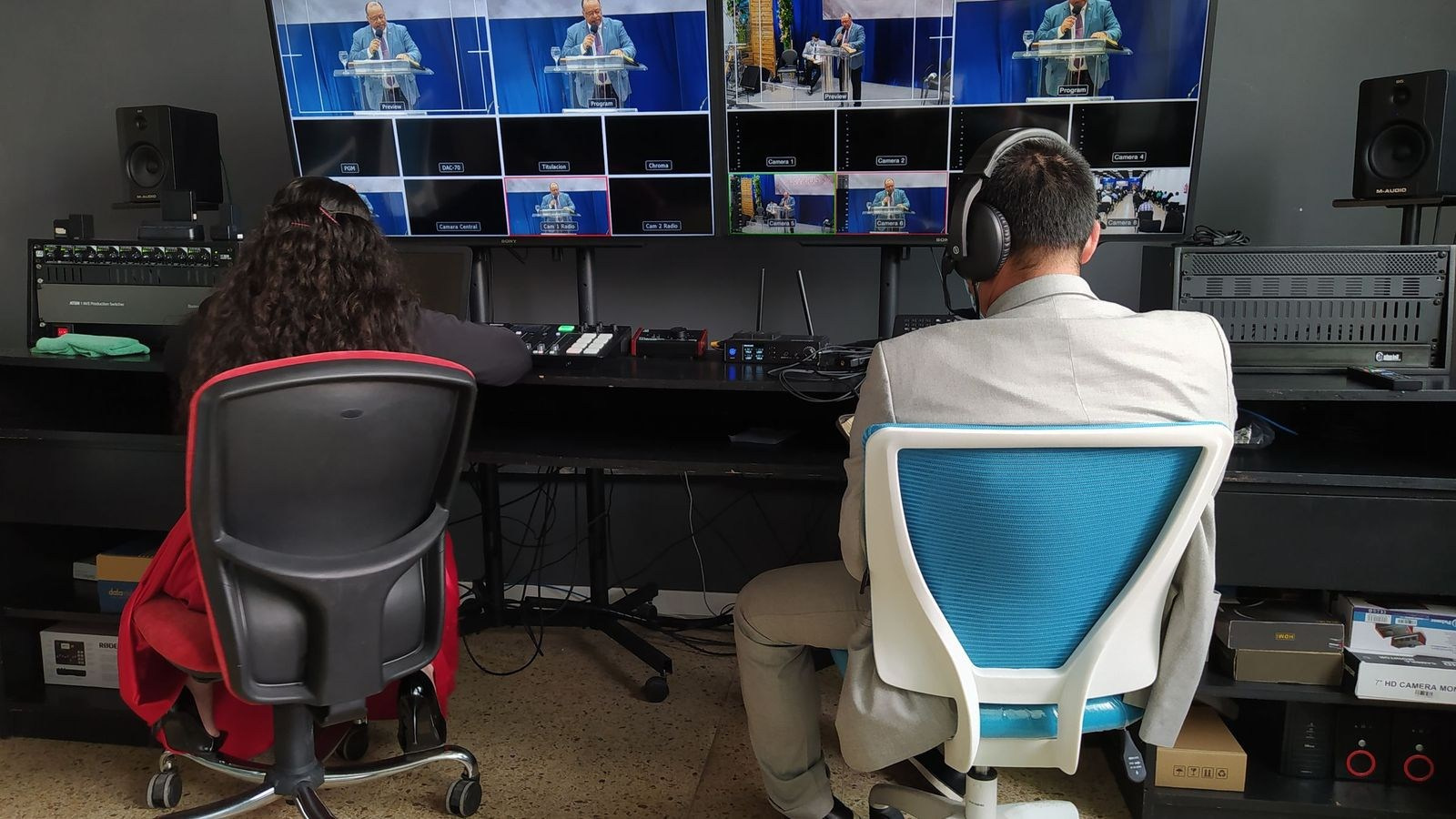
Technical Production Is Still Essential
Privacy settings do not replace professional production.
Both public and private streams may require:
- Multiple cameras
- Professional audio
- Presentation capture
- Live switching
- Branded graphics
- Reliable primary internet
- Backup connectivity
- Local recording
- A technical rehearsal
The difference is that a private broadcast also requires a reliable access workflow. Someone should be responsible for approving viewers and helping legitimate attendees who cannot join.
What Affects the Production Scope?
A private link alone may add little production complexity. A fully registered and authenticated event can require additional platform setup, attendee data preparation, testing and support.
Other scope factors include:
- Number of cameras and rooms
- Duration of the broadcast
- Remote speakers
- Branded layouts and graphics
- Moderated Q& A
- Captions or interpretation
- Platform administration
- Local recordings and final edits
- Technical rehearsal
- Viewer support requirements
A quotation should separate broadcast production from platform licensing, registration services and post-event deliverables where relevant.
A Practical Decision Framework
Choose Public Streaming When:
- The goal is maximum reach
- The programme contains no restricted information
- Easy sharing is desirable
- The recording can remain publicly available
Choose Link-Only Access When:
- The event is intended for a limited group
- Forwarding the link would not create a serious risk
- The organiser wants a simple viewer experience
Choose Registration or Authentication When:
- Attendance must be controlled or measured
- The event is paid or invitation-only
- The material is internal or commercially sensitive
- Individual access may need to be revoked

Common Mistakes
Calling an Unlisted Link Fully Private
A forwarded link may still provide access. Use stronger controls when viewers must be verified.
Choosing the Platform Too Late
Changing platforms after invitations are sent can affect access, graphics, rehearsals and attendee communication.
Ignoring the Viewer Journey
A technically stable stream is not successful if legitimate viewers cannot sign in or find the correct link.
Using the Same Access for Speakers and Viewers
Remote contributors need a controlled backstage workflow, not simply the public viewing link.
Forgetting Post-Event Access
Decide who can watch the recording, how long it remains available and whether confidential sections must be removed.
Assuming Technology Prevents Every Recording
Access controls reduce exposure but cannot eliminate every form of screen or secondary-device recording.
Questions to Ask Before Booking
- Who should be able to watch the event?
- Does each viewer need to be identified?
- Is a forwarded link acceptable?
- Will registration be managed by us or the production team?
- Which platform fits our security and audience requirements?
- How will external viewers receive support?
- Will chat and questions be moderated?
- How will remote speakers join?
- Will the programme be recorded locally?
- Who can access the recording after the event?
- Is a complete technical rehearsal included?
Frequently Asked Questions
Is an unlisted live stream private?
It offers limited discoverability, but anyone with the link may be able to watch. It should not be treated as verified private access when confidentiality is important.
Can a corporate live stream require registration?
Yes. Registration can collect attendee details, distribute access instructions and support reporting. The exact workflow depends on the platform.
Can employees watch through a company platform?
Yes, if the organisation’s collaboration or intranet system supports the required audience, video workflow and access controls.
Can a private stream include external clients or partners?
Yes. External viewers may need guest accounts, unique links or a separate registration workflow. Test access before the event.
Can viewers ask questions during a private broadcast?
Yes. Chat, moderated Q& A and polls can be included if supported by the selected platform and production plan.
Should a private stream be recorded?
Usually, but the decision depends on the content and company policy. Recording access and retention should be defined before production.
Do public and private streams require different camera equipment?
Not necessarily. Camera, audio and switching requirements follow the programme. The main difference is the platform and access workflow.
Conclusion
Public and private live streaming solve different corporate communication needs.
Public access supports reach and easy sharing. Link-only access reduces discoverability but does not verify viewers. Registration and authentication provide stronger control when attendance, confidentiality or paid access matters.
The best option balances security with a simple viewer experience. Define the audience, confidentiality level, interaction requirements and recording policy before selecting the platform.
When access planning is combined with professional cameras, audio, graphics, connectivity and rehearsal, the result is a corporate broadcast that is both reliable and appropriate for its audience.
Planning a Corporate Live Stream in the UAE?
GSP Media provides professional live streaming for conferences, internal meetings, product launches, hybrid events and private corporate broadcasts in Dubai, Abu Dhabi and across the UAE.
Our team can manage multi-camera production, audio integration, presentation capture, graphics, remote speakers, streaming platforms and local recording as one coordinated workflow.

Live Streaming vs Recording an Event: Which Should You Choose?

How to Maintain Consistency Across a Fashion Ecommerce Catalogue


AI Content vs Traditional Photography and Video: What Should Your Brand Use?

How to Prepare Product References for AI Content Production

How Many Product Images Does an Ecommerce Product Page Need?

What Affects the Cost of Professional Live Streaming in Dubai?

How to Plan Photography and Video for a New Fashion Collection

How Product Photography Pricing Is Calculated

What Should Be Included in a Video Podcast Production Quote?

