Consistency is one of the most important qualities in fashion ecommerce photography. Customers compare products quickly, often moving between category pages, colour variations and similar styles in a few seconds. If framing, garment scale, model position, lighting or colour changes from one product to the next, the catalogue feels disorganised and products become harder to compare. A consistent catalogue does not mean every image must look identical. It means the visual rules remain stable enough that differences between products—not differences between production days—become the focus. For fashion brands in Dubai and across the UAE, consistency also protects future growth. New collections, restocks and colourways may be photographed months apart, sometimes by different teams. A documented production system allows new images to fit the existing store.
The Short Answer
Maintain fashion ecommerce consistency by approving a representative test, documenting camera and lighting settings, fixing garment scale and crop, defining repeatable model poses, controlling colour references, using a structured SKU and shot list, and applying one retouching standard. Measure the setup rather than relying on memory, and review products together as a catalogue—not only as individual images.
What You Will Learn
- Which visual elements must remain consistent
- How to create a repeatable fashion photography guide
- How model, mannequin and flat-lay workflows differ
- How to manage colourways, several production days and large SKU volumes
- What to approve before the full catalogue begins
Why Catalogue Consistency Affects Sales
Ecommerce photography replaces part of the in-store experience. Customers cannot hold garments next to each other, so the interface and images must support comparison. When every main image uses a stable crop and garment scale, shoppers can compare length, silhouette and construction. Consistent back and detail views help them locate information. Accurate colour and exposure reduce uncertainty. Inconsistent images create friction. One dress may fill the frame while another appears smaller. A black garment may look rich in one image and washed out in the next. Model poses may hide different areas. These differences can make the catalogue feel less trustworthy even when every image is attractive by itself.
Define the Purpose of Every Image
Start by deciding what each position in the product gallery must communicate. A typical sequence might include:
- Main front view
- Three-quarter or side view
- Back view
- Fit or movement image
- Fabric detail
- Construction or feature close-up
- Short product video
The sequence should remain stable for products within the same category. Exceptions are sometimes necessary, but they should be documented. A reversible jacket may need additional views; a simple T-shirt may not need the same number as a complex dress. Consistency is easier when every image has a defined function. Without this, teams improvise angles and the catalogue accumulates visually similar images that still fail to answer customer questions.
Create a Catalogue Photography Guide
A usable guide is more specific than a moodboard. It records decisions that the next production team can reproduce. Include:
- Background colour or value
- Camera height, angle and focal length
- Subject distance and crop
- Garment scale within the frame
- Model position and eye line
- Default poses and hand placement
- Front, back and side requirements
- Lighting direction, contrast and shadow style
- Colour-management process
- Retouching boundaries
- File names, dimensions and aspect ratios
Reference images are essential. Add measurement diagrams where appropriate. For example, record the distance from the top of the garment to the frame edge, the expected floor line and the approximate percentage of the image occupied by the subject. The guide should be practical enough to use on set, not a long brand document that no operator can consult during production.
Approve a Representative Test First
Before photographing the full collection, select products that expose the main production challenges. Include a dark garment, a light garment, a textured fabric, a long silhouette and an item with reflective or transparent details. Photograph the test using the proposed setup and review the images in their intended website layout. A frame that looks balanced on a large monitor may feel too loose in a small mobile product card. Approve:
- Crop and subject scale
- Background and shadow
- Model pose or mannequin shape
- Colour and skin tone
- Fabric detail
- Retouching level
- Final image sequence
Once approved, treat the test as the visual master. Changes after hundreds of SKUs have been photographed can create expensive reshooting or inconsistent batches.
Lock the Camera and Measure the Set
A tripod position described as “approximately here” is not repeatable. Measure camera height, distance to subject, lens, focal length and tilt. Mark model, mannequin and product positions on the floor. Keep the camera locked during a product group. If the setup must be moved, record enough information to rebuild it. Lens choice affects body proportion and garment shape. A change in focal length can make the same item look wider or alter the relationship between the upper and lower body. Use the approved lens and camera distance rather than zooming to solve every crop.
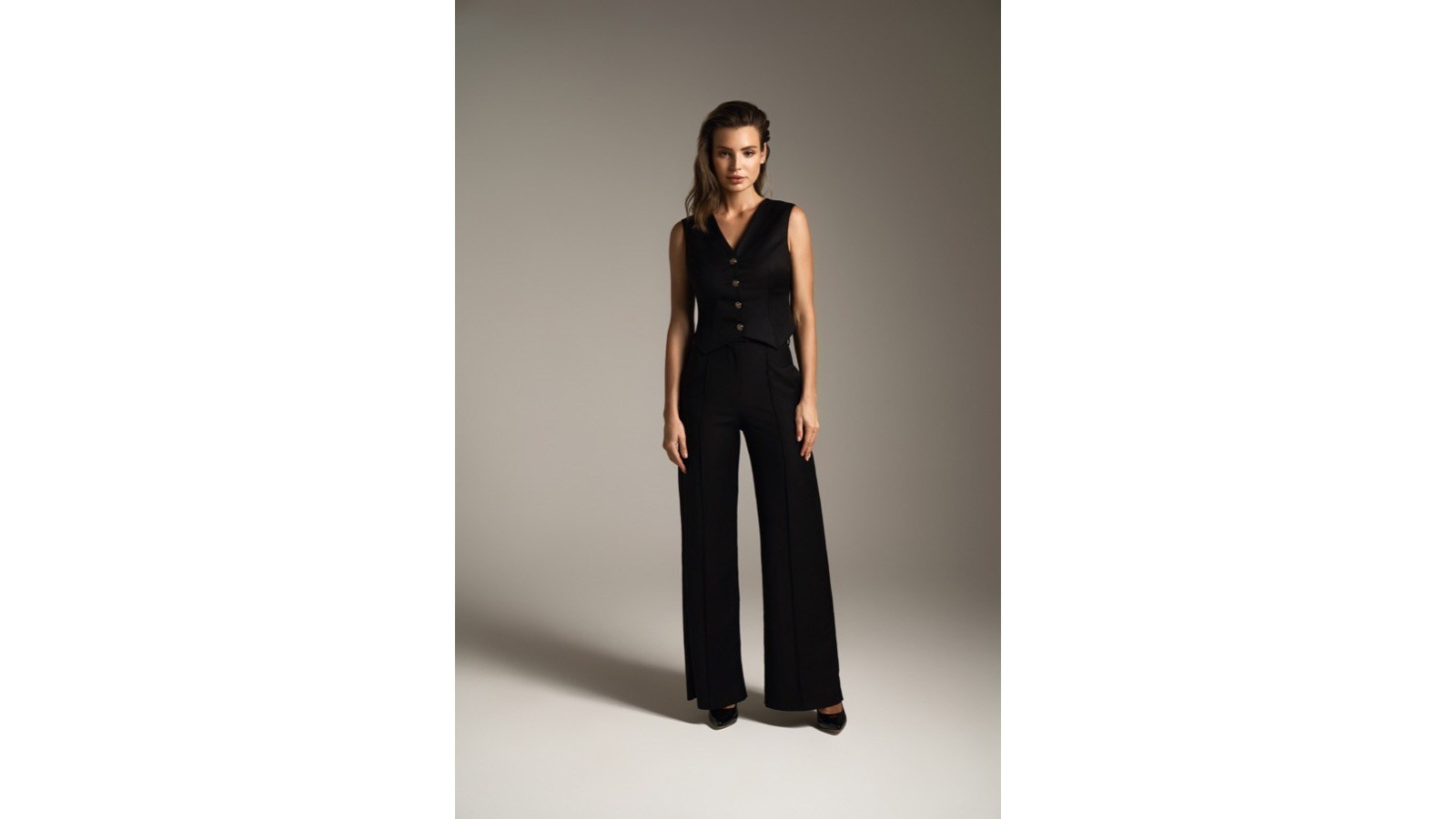
Capture tethered to a calibrated monitor when possible. Overlay guides or a reference frame so the team can see immediately when garment length, shoulder position or floor line drifts.
Maintain Consistent Lighting
Fashion ecommerce lighting should reveal fabric and shape while remaining repeatable across products. Document:
- Light positions and heights
- Modifier sizes
- Power settings
- Distance to the model or mannequin
- Fill and negative fill
- Background lighting
- White balance and exposure reference
Natural daylight changes continuously, so catalogue production should not depend on uncontrolled window light. If daylight is part of the chosen look, its effect must be controlled or the team must accept variation. Dark and light garments may require small exposure or lighting adjustments, but the overall visual system should remain stable. Test changes against the master rather than judging each product in isolation.
Consistent On-Model Photography
On-model catalogues require coordination between photographer, model and stylist. Repeatable poses should show fit without making every image look rigid. Define:
- Standing position
- Weight distribution
- Foot placement
- Hand position
- Head and eye direction
- Default front, side and back poses
- Allowed movement variations
The model should understand the image sequence. A clear rhythm reduces time per garment and helps the editor compare products. Casting continuity also matters. If the same catalogue uses several models, establish how product categories are assigned and how scale will remain comparable. Record current measurements rather than relying only on stated clothing size. Hair, makeup and undergarments should remain consistent within a batch unless the creative direction requires change. Styling adjustments must improve presentation without misrepresenting fit.
Consistent Mannequin and Ghost-Mannequin Photography
Mannequin shape and size affect the apparent fit. Use the same mannequin for a product group and document any padding, pinning and support methods. For ghost-mannequin images, establish how necklines, armholes, waistbands and interior sections will be photographed and composited. The invisible body shape should remain consistent across garments. Camera alignment is critical. If the lens height changes, shoulders, collars and hems will appear at different angles. The team should approve one complete ghost-mannequin sample before processing the full catalogue. Retouching must preserve realistic garment volume. Over-symmetrising every product can remove construction details and make natural fabrics look artificial.
Consistent Flat-Lay Photography
Flat lays require a fixed camera height, level sensor and repeatable product scale. Mark the working area and use guides for centre line, shoulder position, sleeves and hems. Agree rules for:
- Sleeve angle
- Folding and shaping
- Waistband position
- Placement of detachable elements
- Direction of shadows
- Spacing within sets
Long garments may require a different approved template rather than shrinking them until they no longer match the visual scale of other products. Small differences in symmetry become obvious on a category page, so the stylist should compare each setup with the approved reference before capture.
Build a Structured SKU Workflow
Large catalogues need reliable product tracking. Each garment should carry the same identifier used in inventory and ecommerce systems. The production list should include:
- SKU and product name
- Category
- Size and colour
- Photography method
- Required views
- Special features
- Priority
- Status: received, prepared, photographed, approved and returned
Use a capture naming system that connects every file to the correct SKU and view. Do not wait until post-production to identify products from appearance alone. Barcode or QR-based workflows can help with large volumes, but a clear spreadsheet and disciplined naming can also work. The key is that each item and file remain traceable.
Manage Colour Variations Carefully
Colour accuracy is essential in fashion ecommerce. The same fabric may look different under mixed lighting, on an uncalibrated display or after inconsistent editing. Use a controlled white balance, exposure reference and calibrated review monitor. Photograph a colour target during setup and whenever lighting changes.
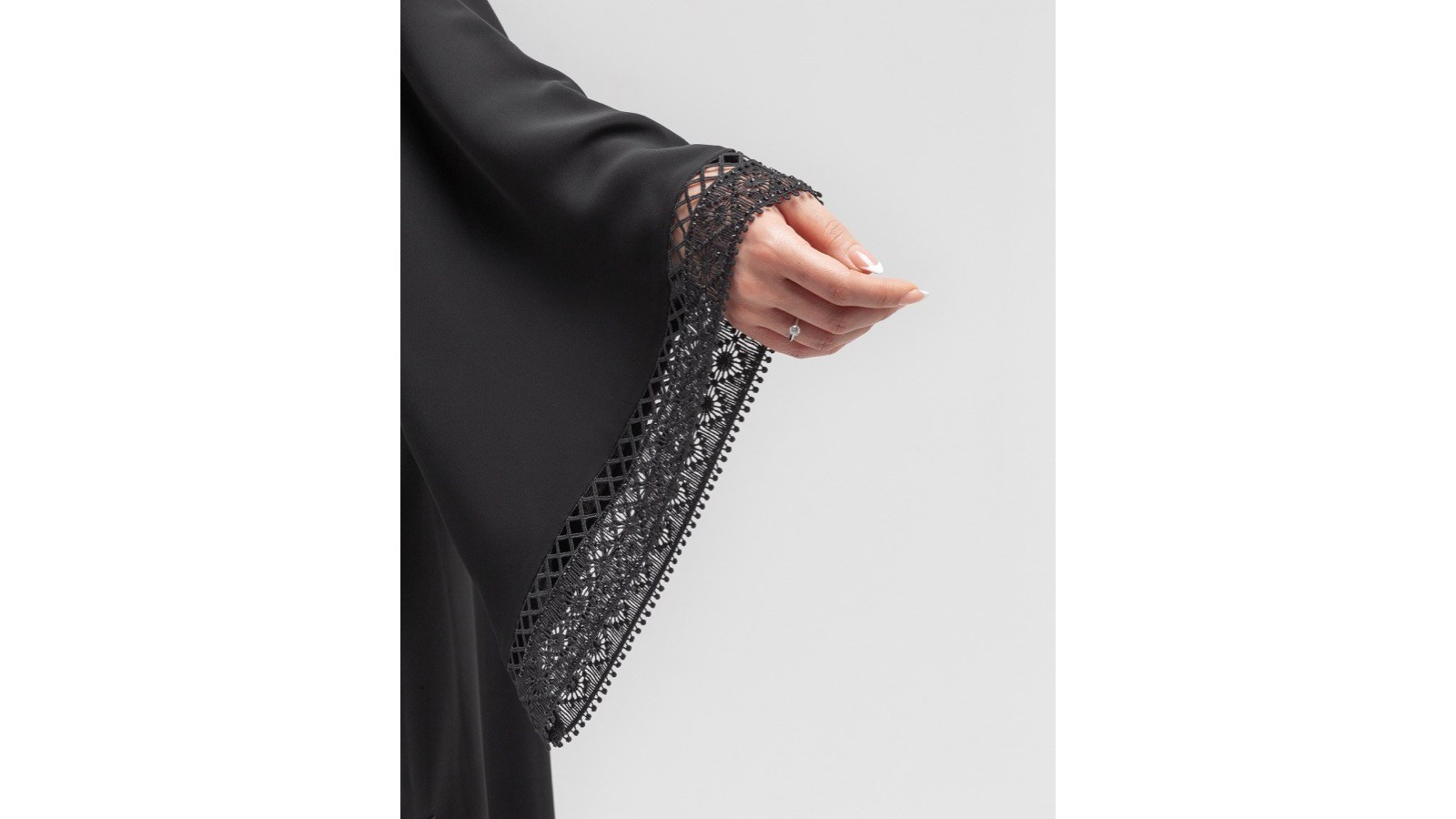
Decide whether each colourway will be photographed or created through controlled colour adaptation. Photographing every variation is usually more reliable when fabric texture, transparency, sheen or construction changes with colour.
If digital colour variants are used, provide physical samples or recognised colour references. Approve representative outputs and check that shadows, highlights and texture remain believable.
Do not use casual phone images as the only colour reference. Phone processing changes saturation, contrast and white balance automatically.
Control Garment Preparation
Creases, lint, twisted seams and inconsistent styling can make an otherwise stable catalogue appear uneven.
Create a preparation station with steaming, lint removal, minor repairs and garment organisation. Keep a stylist or trained assistant responsible for continuity.
Check:
- Collar and lapel shape
- Sleeve and cuff position
- Buttons, zips and fastenings
- Hem alignment
- Belts and detachable elements
- Visible labels and tags
- Fabric tension and drape
The styling standard should be documented with close reference images. When several assistants prepare garments, one lead stylist should approve the product before it reaches the set.
Keep Retouching Consistent
Retouching can introduce as much variation as capture. Provide one master image and written instructions covering:
- Background value
- Shadow density
- Skin treatment
- Fabric texture
- Lint and crease removal
- Garment shaping
- Colour adjustment
- Symmetry
- Cropping and export
Define what must remain authentic. Construction, fit and fabric texture should not be changed simply to make every item perfect.
When several editors work on a catalogue, assign one lead reviewer and compare sample images side by side. Use shared presets only as a starting point; they do not replace visual quality control.
Plan for Several Production Days
Long productions should begin each day with a calibration and reference check. Rebuild the set from measurements, then capture the approved master or a control garment.
Compare:
- Exposure
- White balance
- Background value
- Subject scale
- Camera angle
- Shadow position
- Model placement
Do not wait until editing to discover that one day’s images are warmer or framed differently. A short start-of-day comparison can prevent a complete batch from drifting.
If equipment or venue must change, run a new test and document the updated setup. The objective is visual continuity, even when the physical circumstances are not identical.
Review the Catalogue as a Grid
Individual image review finds dust, focus and styling errors. Grid review finds consistency problems.
Display product cards together at the final website ratio. Look for:
- Subjects that appear larger or smaller
- Drifting headroom or floor line
- Background changes
- Uneven shadows
- Colour shifts
- Different pose energy
- Products that are not centred consistently
This review should happen during production and again after retouching. Correcting a few outliers is easier than discovering them after the complete catalogue is uploaded.
Coordinate Photography and Short-Form Video
If the brand needs product video, define which elements must match the still catalogue. Background, styling, model and colour should feel related even when movement changes the composition.
Plan video moments within the garment sequence so continuity is protected. Record which look and accessories were used, and capture video before the garment becomes excessively creased or handled.
Still photography and video can share lighting in some workflows, but exposure, shutter and movement requirements differ. Test both before approving the complete production setup.
Quality Control Before Delivery
A final catalogue QA process should check both individual files and the collection.
Verify:
- Correct SKU and view sequence
- Required images are present
- Consistent dimensions and aspect ratio
- Accurate crop and scale
- Colour matches approved references
- No visible equipment, clips or temporary tags
- Retouching respects garment construction
- File names and folders follow the agreed system
- Web and high-resolution versions are exported correctly
Keep an approval record. If corrections are requested, consolidate feedback in one document and apply the same decision to comparable products.
Common Causes of Catalogue Drift
Changing the Camera to Solve Crop Problems
This changes perspective. Adjust the product or use the approved category template instead.
Allowing Every Model to Improvise
Natural movement is useful, but the required catalogue views still need stable poses.
Editing Products One at a Time
Without grid comparison, small colour and crop differences accumulate.
Skipping Daily Calibration
Lighting and camera positions can shift between production days.
Using Uncontrolled Colour References
Screens and phone images are not reliable substitutes for physical references and calibrated review.
Changing the Standard Mid-Collection
If a change is necessary, decide whether earlier products must be updated so the catalogue remains coherent.
Frequently Asked Questions
Does every product need exactly the same number of images?
No. The core sequence should remain consistent, but complex garments may need additional details. Document exceptions by category.
Can different models appear in one ecommerce catalogue?
Yes. Keep camera perspective, scale, lighting, pose structure and retouching consistent, and assign product categories deliberately.
How do we match images photographed months apart?
Use a documented setup, calibration references, measurement diagrams and approved master images. Recreate and test the setup before the new batch begins.
Should every colour variation be photographed?
Photographing each colour is the most reliable option. Controlled digital variations may work for genuinely identical products when accurate physical colour references are available.
How can we check consistency before uploading?
Review the final images as a grid using the same aspect ratio and approximate size as the ecommerce category page.
Can retouching fix an inconsistent shoot?
Some crop, background and colour differences can be corrected, but major changes in perspective, pose, fit or lighting may require reshooting.
Conclusion
Consistent fashion ecommerce photography is created through a repeatable system, not through individual images that happen to look good. The system connects camera position, lighting, styling, model direction, product tracking, colour management and retouching.
A representative approved test and a practical catalogue guide provide the foundation. Measurements and daily reference checks protect the standard during production, while grid review reveals drift that individual-image review can miss.
When those controls are in place, new products and collections can join the catalogue naturally, customers can compare garments more easily and the brand maintains a professional visual identity across its ecommerce channels.
Blog


AI Content vs Traditional Photography and Video: What Should Your Brand Use?

How to Prepare Product References for AI Content Production

How Many Product Images Does an Ecommerce Product Page Need?

What Affects the Cost of Professional Live Streaming in Dubai?

How to Plan Photography and Video for a New Fashion Collection

How Product Photography Pricing Is Calculated

What Should Be Included in a Video Podcast Production Quote?


How Many Short Videos Can You Create From One Video Podcast?
Ecommerce Fashion Photography vs Campaign Photography