
Multi-camera live streaming turns an event into a directed programme rather than a single continuous camera view. Several cameras cover the stage from different positions while a director selects the most useful angle in real time. Presentations, speaker names, remote guests and other sources can be added to the same live output.
The value is not simply visual variety. Multiple angles also protect the broadcast. If a speaker moves away from one frame, a guest blocks a camera or an operator needs to adjust focus, the director can use another source without interrupting the programme.
This guide explains how professional multi-camera live streaming works, which roles and equipment are involved, and what businesses should plan before broadcasting a conference, panel discussion, product launch or corporate event in Dubai and across the UAE.
What You Will Learn
- Why professional events use several cameras
- Which camera angles are normally required
- How camera signals reach the production control position
- What a video switcher and technical director do
- How audio, presentations and graphics enter the programme
- Why local recording and backup systems matter
- How many crew members a production may require
- What organisers should prepare before the event
The Short Answer
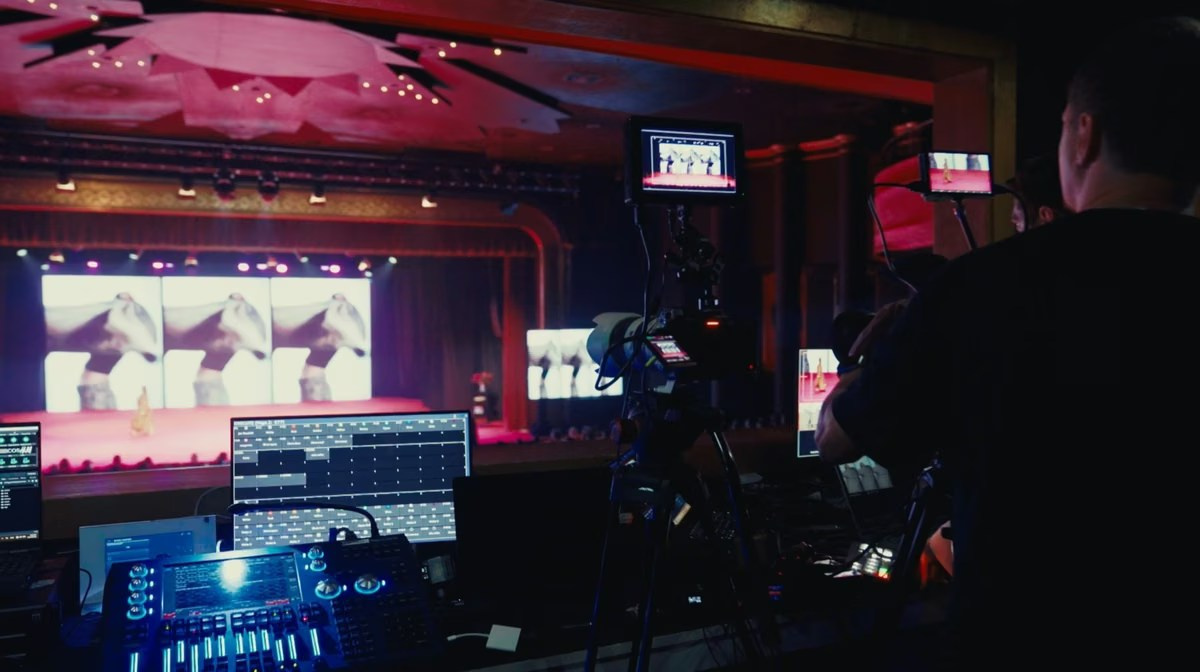
Each camera sends a live signal to a central production system. The director watches all available sources on a multiview monitor and selects the camera, presentation or graphic that viewers should see. The completed programme is combined with professional audio, encoded and sent through the internet to the selected platform.
The cameras do not normally stream independently. They are coordinated as parts of one broadcast, with consistent settings, planned positions and communication between the director and operators.
Why Use More Than One Camera?
A single camera can work for a controlled executive address or a short presentation. The limitations become clear when the event includes movement, several speakers, audience interaction or visual demonstrations.
A multi-camera setup can show:
- A complete view of the stage
- A close view of the active speaker
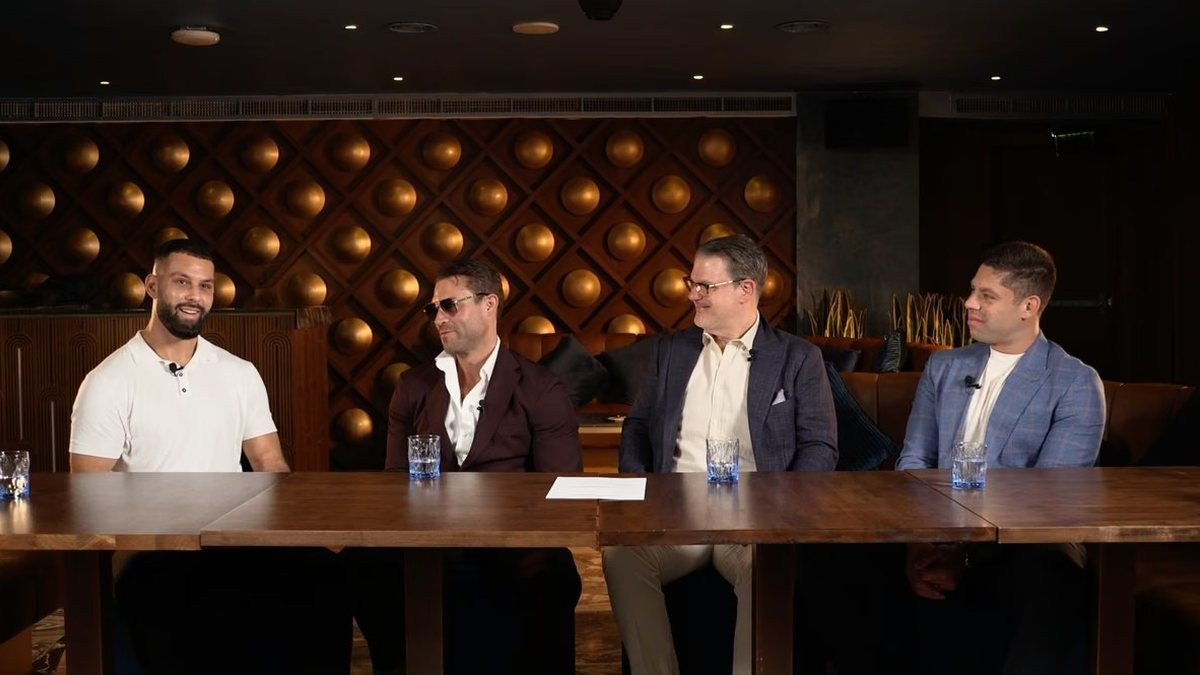
- Two or more people during a panel
- Audience questions and reactions
- Products, demonstrations or performance details
- Remote guests and presentation content
The director can follow the meaning of the programme. When a moderator asks a panelist a question, viewers see that panelist. When a detailed slide appears, the presentation becomes the main source. When a session ends, the broadcast can move to a wide shot or branded transition.
This creates a clearer experience for remote viewers and reduces the feeling that they are watching a security camera pointed at a distant stage.
Multi-Camera Does Not Mean Constant Cutting
Professional switching should support the content. Changing angles every few seconds can make a corporate broadcast distracting, while remaining on one shot for too long may feel static.
The director considers the speaker, pace, audience and purpose of each session. A technical keynote may stay on slides for longer. A panel discussion may use individual close-ups and a wide group view. The correct rhythm follows the event rather than a fixed editing formula.
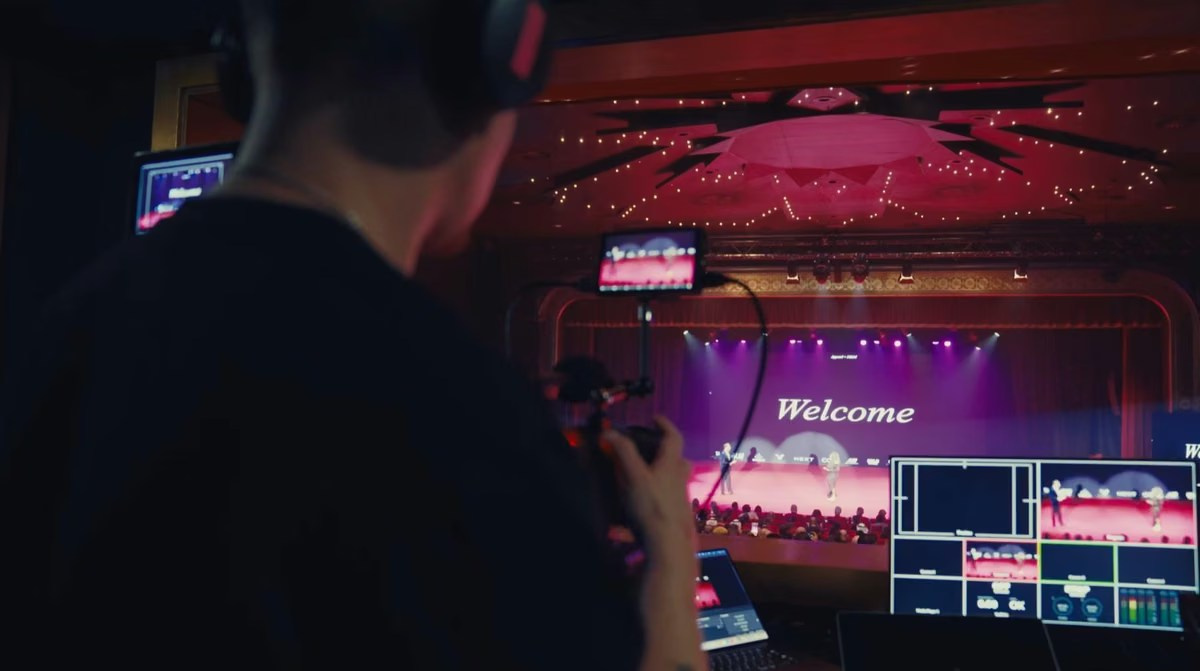
Typical Camera Roles
The number and position of cameras should follow the programme and stage design. Every camera needs a clear purpose.
Wide Stage Camera
The wide camera shows the complete stage and provides a reliable safety angle. It is useful for openings, transitions, group discussions, applause and moments when another operator is reframing.
This camera is often fixed or operated with limited movement. Its importance is easy to underestimate: without a stable wide shot, the director may have nowhere safe to cut when speakers move unexpectedly.
Speaker Close-Up Camera
A longer-lens camera creates closer views of individual speakers without standing directly in front of the audience. The operator follows movement, maintains focus and gives the director a clean shot of the active person.
Large stages may require more than one close-up camera so different speakers can be prepared simultaneously. During a panel, one camera can remain on the current speaker while another finds the next contributor.
Panel or Alternate Angle
A second stage angle may cover two-person conversations, the complete panel or a different side of the lectern. It also reduces the visual jump created when every close-up comes from the same direction.
Audience and Interaction Camera
Audience questions, applause and reactions help the online viewer understand the room. This camera may be fixed near the stage or operated from an aisle, depending on access and venue restrictions.
It should not be added automatically. For confidential meetings or events where attendees should not appear, the production plan may intentionally avoid audience coverage.
How Camera Signals Reach the Control Position
Every camera sends a live video signal to the production area. The connection may use professional video cabling, network-based video or another managed system selected for the venue and distance.
The technical plan must account for:
- Cable length and safe routes
- Resolution and frame-rate compatibility
- Signal conversion when different equipment is combined
- Power and battery requirements
- Monitoring at the camera position
- Communication with each operator
- Backup options for essential sources
Long distances, separate rooms and large exhibition venues can change the signal design significantly. A cable route that looks short on a floor plan may become much longer when doors, guest pathways and venue rules are considered.
Matching the Cameras
The images should feel like one programme. Cameras need compatible colour, exposure, white balance and frame-rate settings. If one angle appears warmer, darker or more saturated than the others, every live cut becomes noticeable.
Lighting and LED screens must also be tested with all cameras. A setting that works for a close-up may produce an unreadable screen in the wide shot. The production team balances the complete system rather than adjusting each camera independently during the broadcast.
Tally and Operator Communication
Operators need to know when their camera is live and what shot the director requires next. Tally indicators can show which camera is on-air, while an intercom or headset system allows the director to give concise instructions.
Typical directions include preparing a close-up, holding a frame, following a speaker or avoiding a camera movement until another source is ready. Clear communication reduces unnecessary motion and prevents an operator from changing the shot while viewers are watching it.
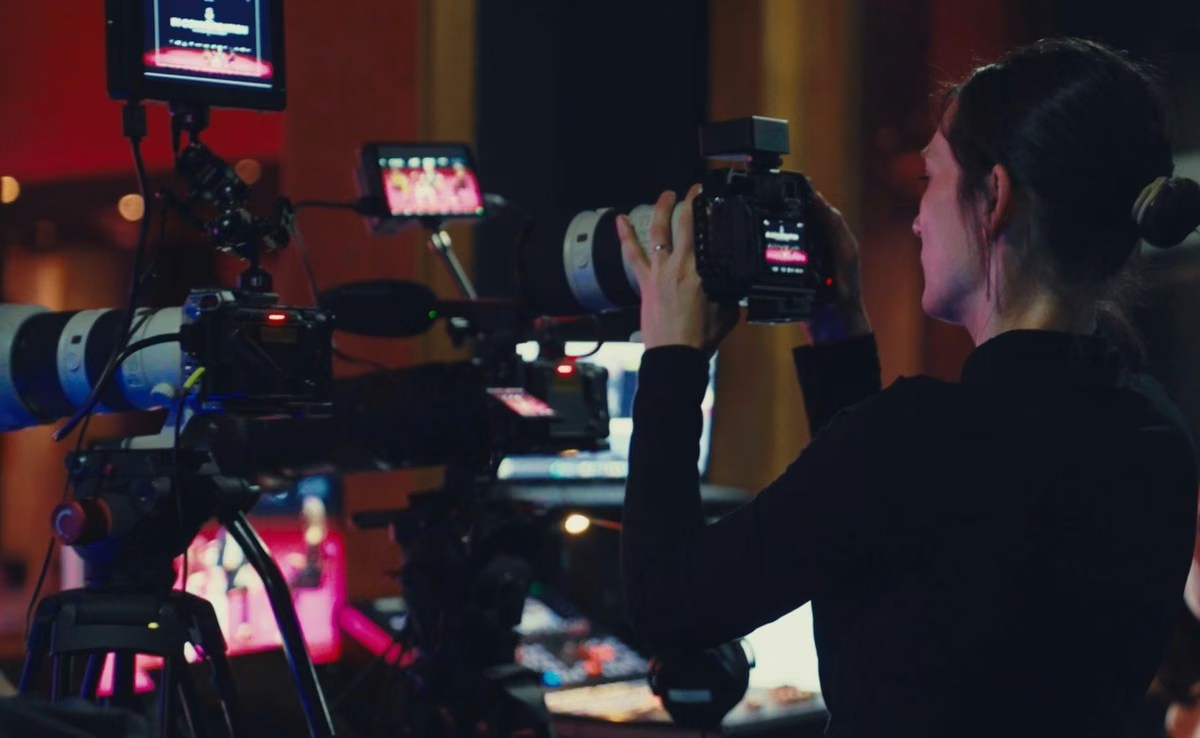
The Video Switcher Is the Centre of the Production
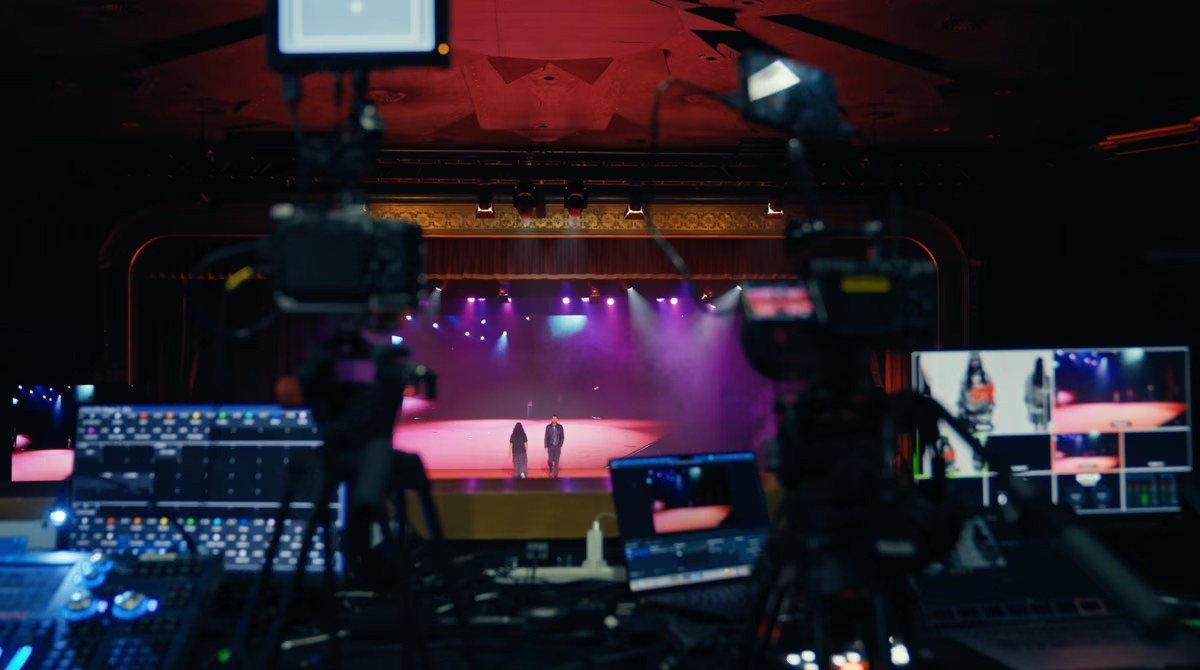
All cameras and visual sources arrive at a video switcher. The technical director watches them on a multiview display and builds the programme in real time.
The multiview may show:
- Each camera
- Presentation slides
- Remote speakers
- Graphics or playback videos
- A preview source
- The final programme output
- Audio meters and recording status
The preview window allows the director to check a source before placing it on-air. The programme window shows what the online audience is currently receiving. This separation prevents an unprepared camera or incorrect slide from appearing accidentally.
Cuts, Transitions and Picture-in-Picture
A direct cut changes immediately from one source to another and is appropriate for most conversations and presentations. Dissolves or other transitions may be used for openings, closing sequences and selected programme changes.
Picture-in-picture and split-screen layouts can display a speaker beside a presentation, combine remote and in-person guests or show several panelists together. These layouts should be designed before the event and checked for mobile viewers.
The Director Follows the Programme
Live switching is partly technical and partly editorial. The director needs the final agenda, speaker list and an understanding of what will happen next.
If a presenter is about to show a product, the director prepares the demonstration angle. If a panelist is answering, the close-up should be ready before the person begins speaking. If a video is embedded in the presentation, the production team needs to know whether it contains sound.
This is why a rehearsal and accurate running order matter. The director can react to changes, but advance knowledge creates a smoother broadcast.
Audio Is Mixed Separately
Several cameras do not automatically create professional sound. Audio normally comes from the venue sound system, dedicated microphones or a combination of sources and is mixed separately from the camera switching.
The stream may need to include lectern, lapel, handheld and panel microphones, audience questions, presentation videos and remote contributors. Every source should be tested in the final routing.
The sound heard in the ballroom may differ from the feed delivered to the broadcast. The room can sound clear while one microphone is missing or distorted online. A dedicated audio check and local backup recording protect the result.
Presentations Become a Direct Video Source
Slides should usually enter the switcher directly rather than being filmed only from the venue screen. The director can then display the presentation full-screen, beside the speaker or within a branded layout.
The production team should test the final presentation laptop, output resolution, embedded audio and playback videos. Last-minute computer changes may require different adapters or introduce display settings that were not rehearsed.
Graphics and Playback
Professional streams often include holding screens, countdowns, speaker names, session titles, sponsor logos, pre-recorded videos and closing graphics. These assets become additional sources inside the production system.
Names and job titles should be approved before the broadcast. Graphics also need safe spacing and readable text because many viewers will watch on phones rather than large monitors.
Remote Speakers in a Multi-Camera Programme
A remote guest can be treated as another live source, but the workflow is two-way. The guest must send video and audio to the event while receiving the correct stage sound and visual return without hearing a delayed echo.
Remote contributors need a technical check using their actual device, room and internet connection. The director should also know whether the guest will share slides, join a panel or speak independently.
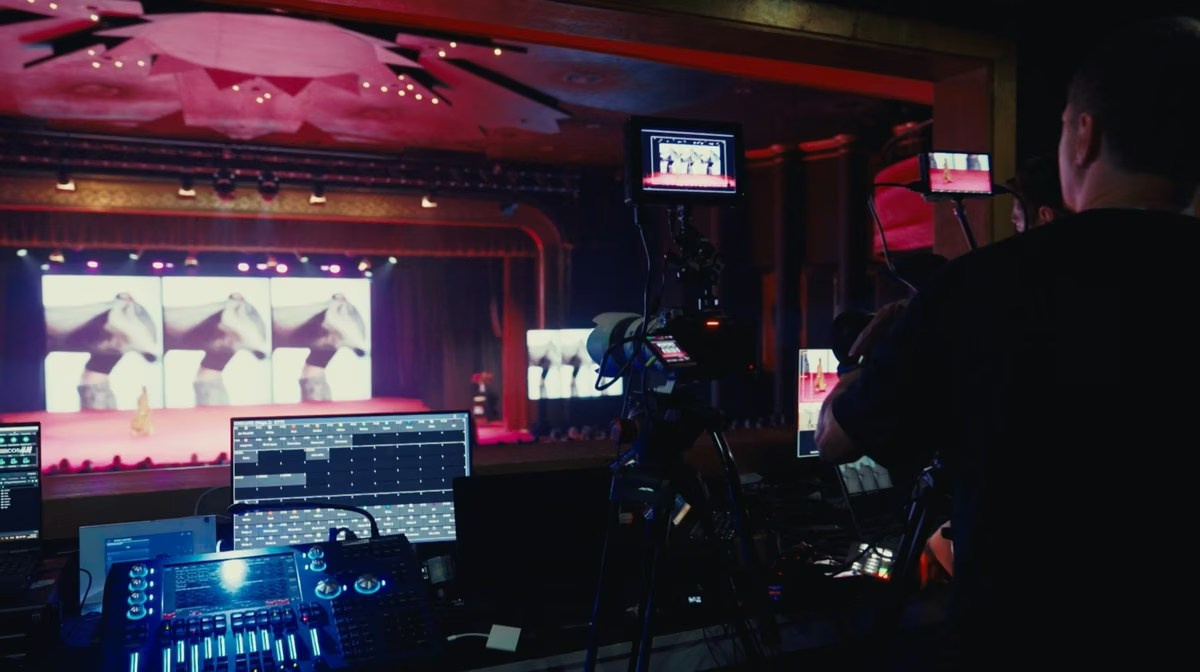
Encoding and the Streaming Platform
The completed programme is sent to an encoder, which converts it into a stream suitable for the selected platform. Settings such as resolution and data rate must match the available upload connection and platform requirements.
A stable wired connection is normally preferred. The production team should test sustained upload performance from the control position and plan independent backup connectivity when the broadcast is business-critical.
The destination may be YouTube, LinkedIn, Zoom, Microsoft Teams, a private platform or a protected company page. Access, registration, moderation and privacy should be confirmed before the technical workflow is finalised.
Local Recording and Isolated Camera Files
The final programme should usually be recorded locally even when the platform creates its own recording. A local file offers better quality and protection if the online connection is interrupted.
Some productions also record each camera separately. These isolated recordings provide more flexibility for later highlights, speaker edits and corrections. They require additional storage, monitoring and file management, so they should be requested before the event rather than assumed.
Which Crew Members Are Required?
A multi-camera broadcast may involve a technical director, camera operators, streaming engineer, audio technician, graphics operator and production coordinator. Smaller events can combine selected roles, while complex conferences and hybrid programmes need dedicated specialists.
The correct crew is the smallest team that can operate the planned system without leaving important functions unattended. One person cannot reliably switch several cameras, solve an audio problem, update speaker graphics and manage a remote guest at the same moment.
How Many Cameras Does an Event Need?
There is no universal number. A controlled presentation may work with two cameras: one wide and one close. A panel may benefit from three or four angles. Events with demonstrations, audience questions or simultaneous rooms may require additional coverage.
The decision should consider stage size, speaker movement, number of participants, required audience views, venue access and whether complete recordings are needed. More cameras are useful only when each has a defined role.
Plan Positions Before the Event
Camera sight lines, tripod space, platforms, cable routes and operator movement should be agreed with the venue. The plan must protect audience visibility and emergency routes.
Events in hotels, exhibition venues and conference centres across Dubai, Abu Dhabi and the wider UAE may have strict access, loading and safety procedures. A site survey is valuable for unfamiliar rooms and important broadcasts.
Run a Complete Rehearsal
The rehearsal should test every camera, microphone, slide, playback video, graphic, remote contributor, platform connection and local recording. It should also confirm communication between the director and operators.
Use real programme materials where possible. A test card does not prove that the final presentation laptop will deliver video and audio correctly.
Common Multi-Camera Streaming Mistakes
Adding Cameras Without Defined Roles
More sources can create confusion if the director has several nearly identical or unusable angles.
Ignoring Audio
A visually dynamic broadcast remains difficult to watch when speech is unclear or microphones are missing from the mix.
Switching Too Frequently
Every cut should serve the conversation or reveal useful information.
Depending Only on the Platform Recording
Online recordings are compressed and may include transmission interruptions. Local files provide better protection.
Skipping Operator Communication
Without tally and clear direction, operators may move or reframe while their camera is live.
Frequently Asked Questions
Can multi-camera streaming use fixed cameras?
Yes. Fixed wide angles can provide reliable coverage, while operated cameras create close-ups and follow movement. The right combination depends on the event.
Is live switching the same as editing later?
No. Live switching creates the programme while the event happens. Later editing can refine locally recorded material, but it does not change what viewers saw live.
Can slides and remote speakers appear in the same layout?
Yes. The production system can build branded split-screen or picture-in-picture layouts when the sources are prepared and tested.
Can the stream be private?
Yes. Access may be controlled through registration, passwords, private invitations or a protected platform, depending on the client’s requirements.
Conclusion
Multi-camera live streaming combines several coordinated cameras, professional audio, presentation sources, graphics, live direction, encoding and internet delivery into one programme.
The quality depends on planning as much as equipment. Defined camera roles, clear communication, reliable signal paths and a complete rehearsal allow the team to respond naturally while protecting the viewer experience.
Planning a Multi-Camera Livestream in the UAE?
GSP Media provides professional multi-camera live streaming for conferences, panels, launches, corporate meetings and hybrid events in Dubai and across the UAE. Our team can manage cameras, live switching, audio, presentations, graphics, remote speakers, streaming and local recording as one coordinated production.
How Multi-Camera Video Podcast Production Works
How Many Cameras Does a Corporate Event Need?
How to Prepare a CEO or Executive for a Video Interview

Why Backup Internet Is Essential for Event Live Streaming

What Affects Corporate Event Photography and Video Costs?
Event Photography vs Videography: What Does Your Event Need?
Video Podcast Production in Dubai: Complete Business Guide
Professional Event Live Streaming: How It Works
Corporate Event Photo & Video Company Dubai: How to Choose
What Should Be Included in a Corporate Event Photography and Video Quote?

Event Highlight Video vs Full Event Recording: What Is the Difference?

Public vs Private Live Streaming for Corporate Events

Live Streaming vs Recording an Event: Which Should You Choose?

